ℹ Introduction for App Reviewers
Welcome to WordyPop, an educational word-typing app for learner. This tutorial will guide you through all the app's features to ensure a comprehensive review experience.
Important for Reviewers
WordyPop is completely ad-free and designed with learner's privacy in mind. All data is stored locally on the device, and no personal information is collected or transmitted.
Key Features to Test:
- 3-Stage Progressive Learning System
- OCR Custom Word Pack Creation
- Incentive System with Controls
- In-App Purchases (Premium Features)
- Offline Functionality
- PIN Protection
1 Setting Up a Learner Profile and Word Pack
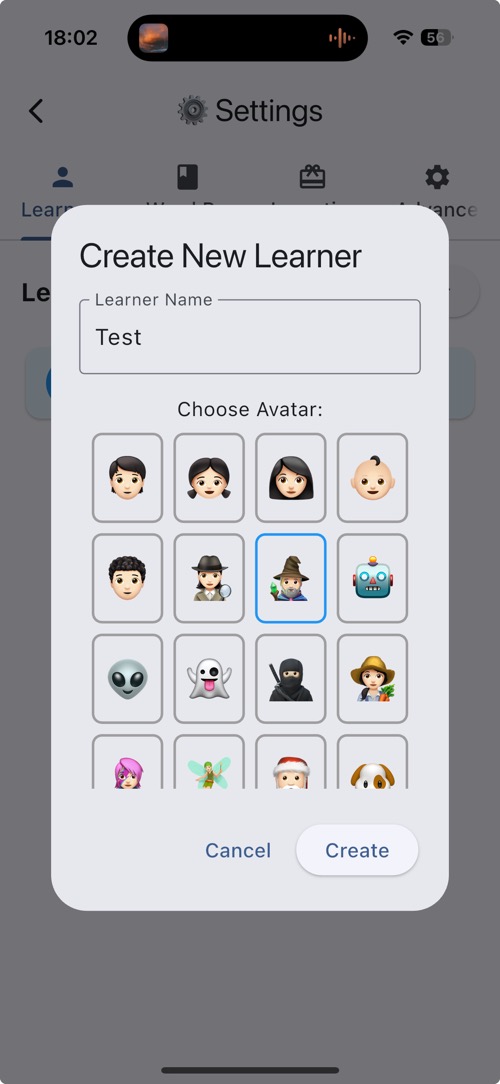
Start by creating a learner profile to test the app's personalization features.
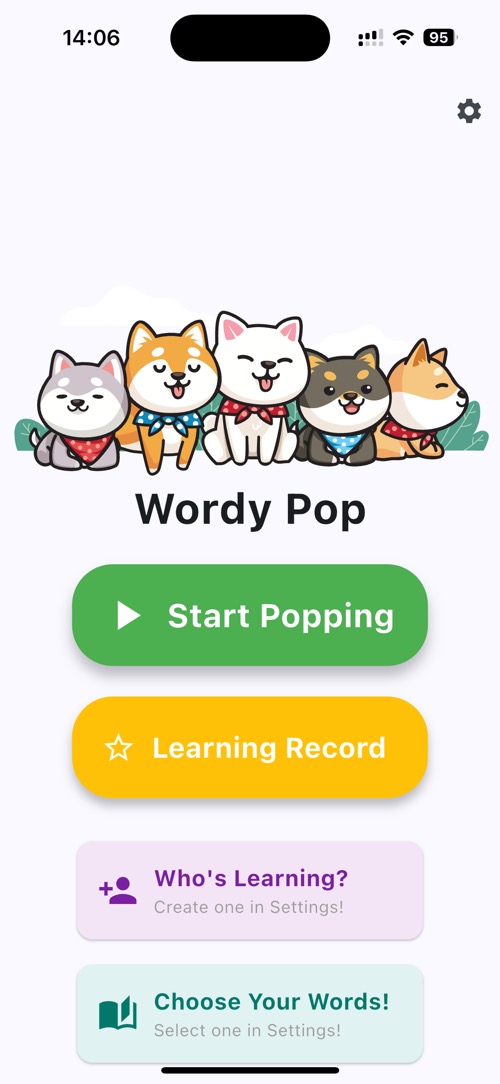
- Tap "Who's Learning" on the main screen
- In Learner Tab, tap "+ New Learner"
- Enter a learner name (e.g., "Reviewer")
- Select an avatar from the available options
- Tap "Create" to save the profile
- Tap on o next to "Reviewer" to select the learner, a tick will appear to indicate selected
- Tap "Word Pack" Tab to create a word pack
- Tap "+ New Word Pack"
- Enter a word pack name (e.g., "Test Pack")
- In Paste Text Box, enter "car cat"
- Tap "Process Text" below the Paste Text Box
- Scroll to bottom of screen and tap "Save Word Pack"
- Tap "O" next to "Test Pack" to add it to the learner
- Tap < back Button to go back to main screen
Reviewer Tips
Try creating multiple learners to test the app's personalization features. All learner data is stored locally and can be deleted at any time.
2 Testing the 3-Stage Learning System
Experience the progressive learning system that adapts to learner's skill development.
Stage 1 - Visual Learning:
- In the main screen, tap "Start Popping"
- Keyboard will show up automatically
- Type "car" or "cat" as bubbles appear
- Notice visual feedback and letter-by-letter guidance
- The bubble will explode
Stage 2 - Motor Learning:
- Progress to Stage 2 after completing Stage 1
- See partial word with some letters hidden
- Listen to word pronunciation (TTS)
- Fill in the missing letters
Stage 3 - Auditory Learning:
- Advance to Stage 3 for the ultimate challenge
- See only the first letter of the word
- Listen to the word pronunciation
- Type the complete word from memory
Learning Progression:
Each stage builds upon the previous one, creating a comprehensive learning experience that develops visual recognition, motor skills, and auditory processing.
3 Testing the Incentive System
Test the motivational incentive system designed to encourage regular practice.
- Complete Stage 3 with a perfect score (no mistakes)
- Observe the incentive notification popup
- Tap on: "Awesome!" to claim the incentive
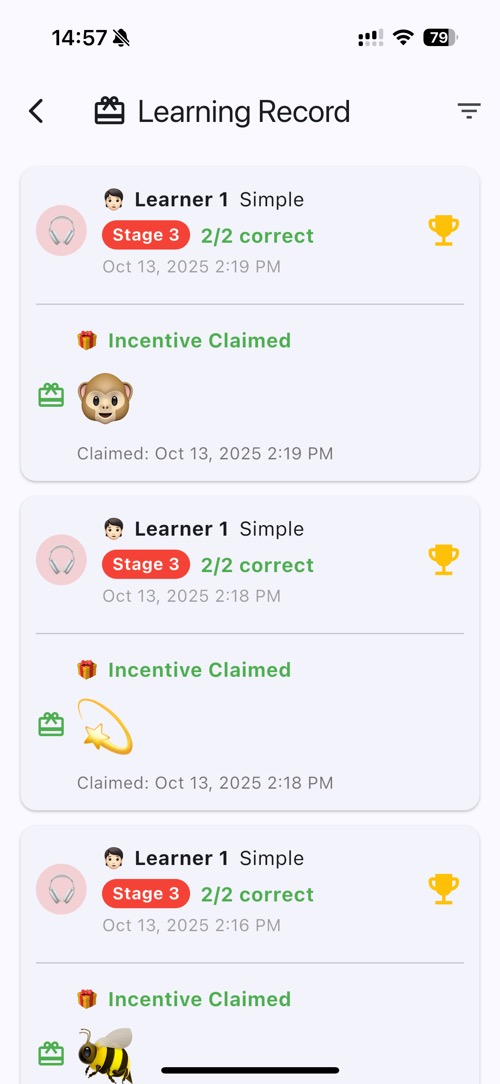
- Go to "Learning Record" from main screen
- Observe the claimed incentive in the history
4 Testing Controls
Explore the comprehensive teaching control features designed for learner.
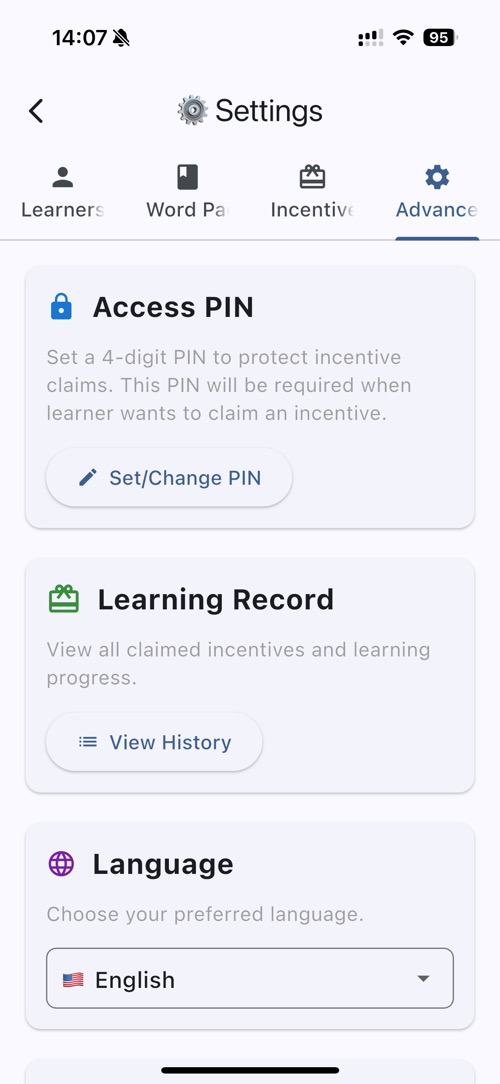
- Go to Settings from the main menu at top right corner
- Tap on "Advanced" tab
- Tap on Set/Change Pin, Set up a 4-digit PIN when prompted
- Enter 0000 , and confirm PIN 0000
- Then go back to main screen by tapping < back button
- Go to Settings again from main menu at top right corner
- Teacher Verification will be required to access settings
- Enter 0000 as PIN
- Enter 5 times wrong PIN, and it will show 1-minute lockout and Tap "Cancel"
- Wait for 1 minute, and try again
Learner Safety
The PIN system prevents learner from accessing settings, making purchases, or claiming incentives without approval. All sensitive functions are protected.
5 Testing In-App Purchases (IAP)
Test the premium features available through in-app purchases.
Accessing Purchase Options:
- From Main Menu, tap on Settings at top right corner
- Go to Settings (requires PIN if set)
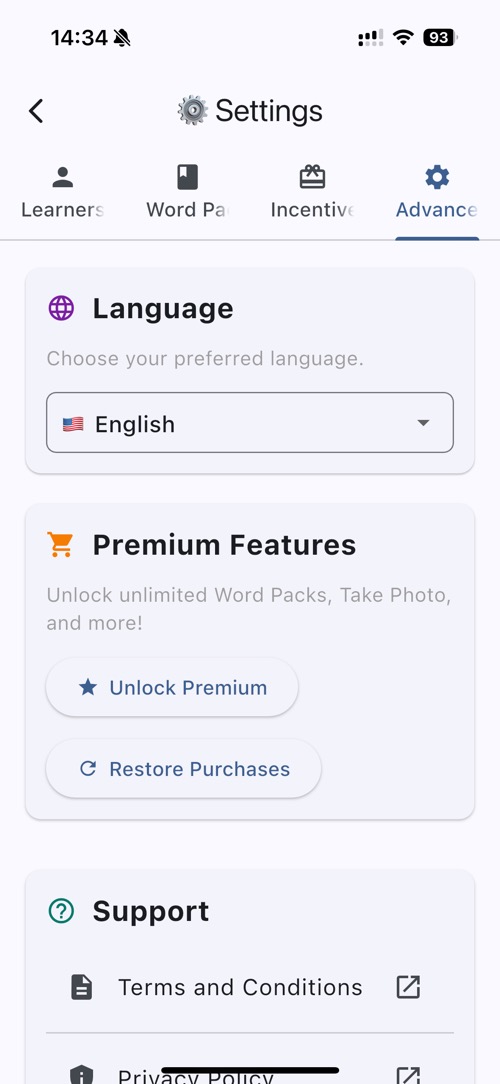
- Tap on "Advanced" tab
- Navigate to "Premium Features" section
- Review available premium upgrades
- Test the purchase flow (use sandbox/test account)
Premium Features to Test:
- Unlimited Custom Word Packs: Create unlimited OCR word packs , default is limited to 5 word packs creation
IAP Testing Notes
All purchases are processed through Apple App Store with standard security. The app includes restore purchase functionality.
6 Testing Offline Functionality
Verify that the app works completely offline for safe, private learning.
- Turn off WiFi and cellular data on your device
- Launch WordyPop and verify it opens normally
- Test all game features in offline mode
- Create new custom word packs using OCR
- Play through all learning stages
- Access settings and teaching controls
- Verify all data is saved locally
Offline Benefits:
- Complete privacy - no data transmission
- Perfect for travel and areas with limited internet
- No dependency on external services
- Consistent performance regardless of connection
7 Testing OCR Word Pack Creation
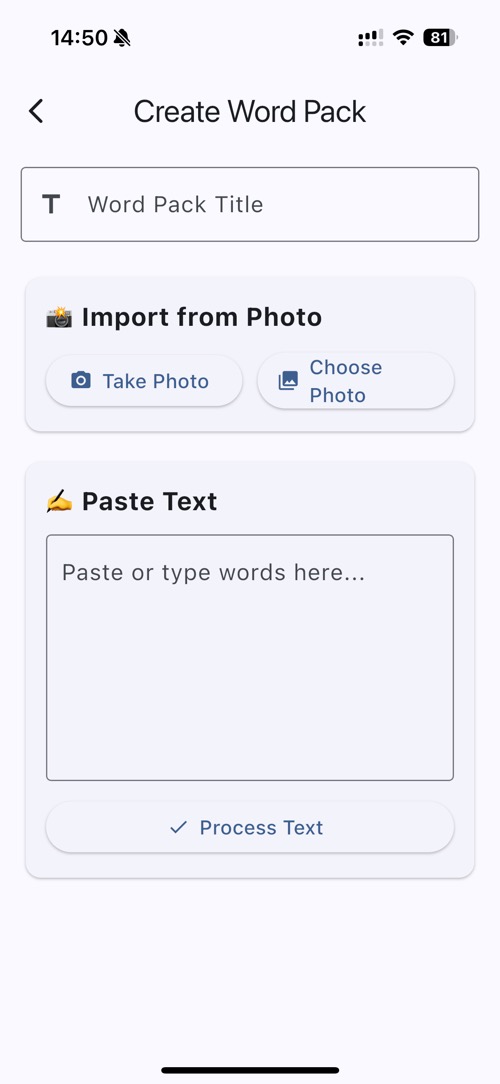
Test the innovative OCR feature that allows creating custom word packs from any text.
- Go to "Settings "from main screen at top right corner
- Tap on "Word Pack" tab
- Tap "+ New Word Pack" button
- Enter a word pack name (e.g., "Test Pack")
- Choose "take Photo" option to use OCR
- Allow camera permissions when prompted
- Take a photo of any text (book, worksheet, etc.)
- Review the extracted words and edit if needed at the bottom of the screen
- Tap "Save Word Pack" at the bottom or Floppy Icon at top right corner
- Tap on the "O" next to "Test Pack" to add it to the learner to indicate it is selected, a tick will appear
OCR Privacy Protection
All OCR processing happens locally on the device. Photos are not stored, and extracted text never leaves the device, ensuring complete privacy for learner's learning materials.
8 Testing Incentive Setting Content
Verify that parents can set up custom Incentives and manage incentive claiming.
- From Main Menu, tap on Settings at top right corner
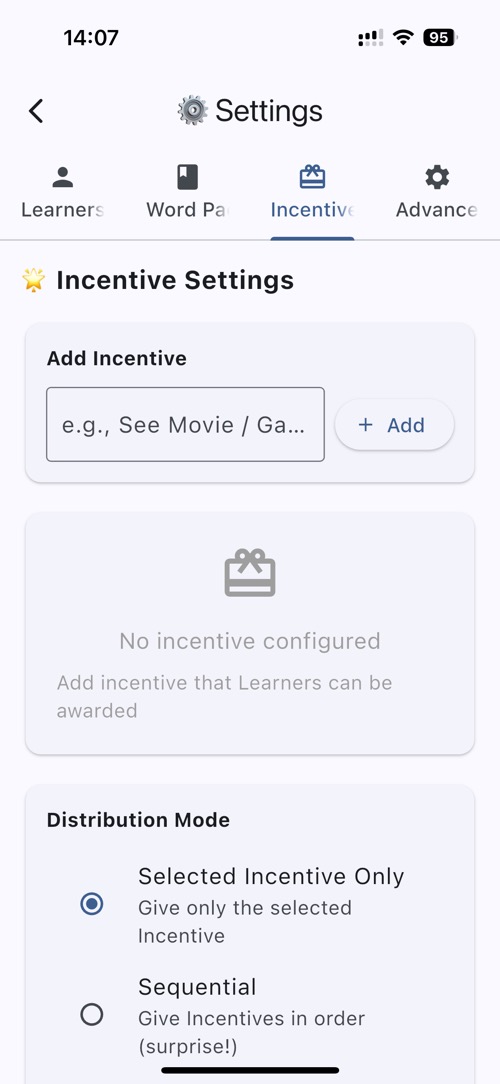
- Tap on "Incentives" tab
- In Add Incentive Text Box, enter "Gathering Time" then tap "+ Add"
- Select "Gathering Time" in Incentive List
- Turn off Cooldown Period by sliding switch to the left
- Go back to main screen by tapping < back button
- Play through all learning stages to earn a incentive
- Observe the incentive notification popup
- Tap on "Later" to keep the incentive and claim later or "Claim Incentive" to claim immediately
- If Tap on "Claim Incentive" , it will pop up a PIN Verification screen to enter PIN
- Enter 0000 as PIN
- It will go back to main screen, and you can see the incentive claimed in "Learning Record"
- Go to "Learning Record" from main screen
- Observe the claimed incentive in the history
✓ Final Review Checklist
Complete checklist for thorough app review:
- ✓ Learner creation and management
- ✓ Pre-made word pack functionality
- ✓ OCR custom word pack creation
- ✓ All three learning stages tested
- ✓ Incentive system and cooldown mechanism
- ✓ PIN protection
- ✓ In-app purchase flow
- ✓ Offline functionality verified
- ✓ Privacy and data handling confirmed
Review Summary
WordyPop is a comprehensive educational app that prioritizes learner safety, privacy, and effective learning. All features work offline, data remains on-device, and teaching controls ensure appropriate use.